 1300 223 668
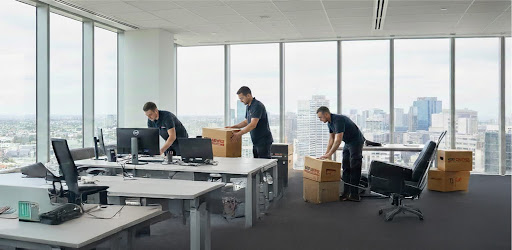
Moving to a new office is complete. Boxes fill the new space. Now what? This guide provides Melbourne businesses with a comprehensive new office setup checklist to help navigate day one effectively and get teams working efficiently.
Why Day One Matters
The First Day Sets Everything
Day one in a new office is crucial for business continuity. Staff arrive ready to work, and systems must function immediately. A well-planned new office setup checklist helps prevent chaos and ensures smooth operations from the start.
Melbourne’s vacancy sits at 17.96% in H2 2024, indicating many businesses are relocating offices. Getting day one right is essential for maintaining productivity and minimizing downtime during transitions.
New Office Setup Timeline
A typical day one timeline might look like:
| New Office Setup Timeline |
| 6:00am: Movers arrive and unload |
| 8:00am: IT team starts setup |
| 9:00am: Test all systems |
| 10:00am: Staff arrive |
| 11:00am: First team meeting |
| 12:00pm: Lunch break |
| 1:00pm: Full operations begin |
Melbourne Office Market Today
Melbourne’s office space is evolving. H1 2024 saw negative net absorption of -15,435sqm as businesses relocate to better locations. Prime rents continue growing in desirable areas, making efficient office transitions increasingly important for budget management.
Post Office Move Tasks: Priority One
IT Systems First
Testing IT in a new office comes first – nothing functions without operational computers and networks. Starting with the internet and phones ensures communication channels are established early.
IT setup priorities include:
- Checking internet connection functionality
- Testing phone system completely
- Turning on all computers
- Connecting printers to network
- Testing email access for everyone
- Checking server connections
- Verifying security systems function
According to University of Melbourne workplace guidelines, IT setup should ideally happen before staff arrive to prevent wasted time and frustration.
Power and Utilities
Basic utilities must work perfectly on day one. Testing everything systematically prevents unexpected disruptions.
Essential utility checks:
- All power points work properly
- Lights turn on in every room
- Air conditioning functions correctly
- Water runs in bathrooms and kitchen
- Heating works if needed
- Emergency lighting tested
Safety Systems
Safety should always be the top priority. Checking all systems on day one ensures compliance and protects employees.
Safety checklist items:
- Fire alarms function properly
- Emergency exits clearly marked
- Fire extinguishers in place
- First aid kit stocked and accessible
- Emergency contact numbers posted
- Evacuation plan displayed prominently
Flinders University safety checklists emphasize that offices need complete safety audits after relocating. Post office move tasks must include comprehensive safety verification. Understanding workplace health and safety requirements is essential for compliance.
Testing IT in New Office
Internet and Network
Internet connectivity drives modern business operations. Thorough testing using your new office setup checklist ensures all systems communicate properly.
Network testing steps:
- Connect to wifi network
- Test internet speed against service agreement
- Check wired connections at each workstation
- Verify VPN access works for remote capabilities
- Test cloud service access (storage, applications)
- Check video conference tools functionality
- Verify file sharing works across the network
Melbourne prime office yield is 6.05% (Q1 2024). With quality office space representing significant investment, minimizing downtime through proper testing becomes crucial for ROI.
Phone Systems
Phones connect businesses to clients and partners. Testing all lines immediately prevents communication breakdowns.
Phone system checks:
- All desk phones work correctly
- Mobile connections good
- Voicemail set up properly
- Call forwarding functions as needed
- Conference calls work
- Hold music plays
- Auto-attendant operates correctly
Computer Equipment
Every workstation needs individual testing. Using post office move tasks lists carefully ensures no station is overlooked.
Computer testing checklist:
- Each computer turns on and boots properly
- Monitors display at correct resolution
- Keyboards and mice work
- Software loads correctly
- Printers connect and print test pages
- Scanners function properly
- Shared drives accessible to authorized users
Setting Up Workstations
Desk Configuration
Each desk requires proper setup following ergonomic principles. A detailed new office setup checklist ensures consistency across all workstations.
Desk setup requirements:
- Desk at correct height for user
- Chair adjusted properly for comfort and support
- Computer positioned correctly
- Monitor at eye level
- Keyboard within easy reach
- Mouse on correct side for user
- Desk lamp if needed for task lighting
Ergonomic Considerations
Employee health and comfort matter for productivity and morale. Setting up workstations safely on day one prevents future injury claims and discomfort.
Ergonomic setup points:
- Chairs support backs properly with lumbar support
- Screens prevent neck strain (proper height and distance)
- Keyboards prevent wrist pain (neutral position)
- Lighting reduces eye strain
- Space allows movement and stretching
- Equipment within comfortable reach
UNSW workstation guidelines demonstrate that proper setup prevents repetitive strain injuries and other workplace health issues. Including ergonomic considerations in post office move tasks protects employee wellbeing.
Kitchen and Amenities
Kitchen Setup
Staff need access to food and drinks throughout the workday. Getting the kitchen operational quickly improves morale on day one.
Kitchen essentials for day one:
- Fridge plugged in and cooling properly
- Microwave works properly
- Kettle boils water
- Coffee machine functions
- Sink has hot and cold water
- Dishwasher connected (if applicable)
- Basic supplies stocked (coffee, tea, sugar, milk)
Bathroom Check
Bathrooms must work perfectly without exception. These facilities are essential for employee comfort and regulatory compliance.
Bathroom requirements:
- Toilets flush properly
- Sinks have hot and cold water
- Soap dispensers filled
- Paper towels or hand dryers stocked/working
- Bins available
- Lights work
- Ventilation functions properly
Reception and Entry
First Impressions Matter
Reception areas showcase business image to visitors and clients. Setting it up early on day one in the new office creates positive first impressions.
Reception area setup:
- Desk positioned for optimal visibility and access
- Comfortable chairs for visitors
- Company signage prominently displayed
- Reception phone working
- Computer system ready with necessary software
- Visitor log available
- Business cards stocked
Security Systems
Protecting the new space immediately is essential. Testing IT in new office includes comprehensive security system verification.
Security setup needed:
- Alarm system programmed with correct codes
- Access cards working for all authorized personnel
- CCTV cameras functioning and recording
- Door locks secure and keys distributed
- Visitor management system ready
- After-hours access procedures sorted
Staff Communication
Morning Briefing
Gathering everyone on day one in new office establishes clear communication and sets expectations. A brief meeting prevents confusion and aligns the team.
Morning meeting agenda:
- Welcome everyone to new space
- Explain any operational changes
- Show key locations (bathrooms, kitchen, exits)
- Answer questions and address concerns
- Assign any immediate tasks
- Set expectations for the day and week
Building Orientation
Providing staff with a quick tour helps them navigate the new space efficiently. Including this in post office move tasks prevents wasted time and confusion.
Tour checklist:
- Show bathroom locations
- Point out kitchen and break areas
- Explain emergency exits and assembly points
- Show meeting rooms and booking procedures
- Identify fire equipment locations
- Explain building access rules and security
Common Day One Problems
Issues to Expect
Even with perfect planning, problems can arise. Having a new office setup checklist helps identify and resolve issues quickly.
Common day one issues:
- Internet slower than expected or intermittent
- Some phones not working properly
- Printers not connecting to network
- Furniture in wrong locations
- Missing supplies or equipment
- Access cards not programmed correctly
- Temperature control issues
Quick Solutions
Having backup plans ready minimizes disruption. Post office move tasks should include problem-solving contingencies.
Problem-solving tips:
- Keep IT support on call or on-site
- Have mobile hotspots ready as backup
- Stock spare cables and adapters
- Keep basic tools handy for adjustments
- Have contact information for building management
- Maintain calm, solution-focused attitude
- Document issues for future reference
For businesses requiring assistance with complex office transitions, house removalists with commercial experience can provide valuable support.
Post-Move Timeline
First Week Priorities
Beyond day one, the first week involves fine-tuning operations and addressing ongoing issues that emerge during normal use.
Week one focus areas:
- Monitor system performance and stability
- Gather staff feedback on workspace functionality
- Address any ergonomic concerns
- Adjust layouts based on workflow observations
- Ensure all deliveries reach correct departments
- Update external contacts with new address details
First Month Goals
The first month represents the full transition period where operations should normalize completely.
Month one objectives:
- Optimize workspace based on actual usage patterns
- Complete any remaining setup tasks
- Conduct safety training and drills
- Establish new routines and procedures
- Evaluate what worked well and what needs improvement
- Plan any necessary adjustments or purchases
Planning Checklist Summary
Pre-Move Preparation
Preparation before moving day significantly impacts day one success. Consider these advance planning elements:
- Create detailed floor plans showing equipment placement
- Label all boxes and equipment clearly
- Coordinate with IT team for setup timing
- Arrange utilities connection confirmations
- Schedule building access and elevator reservations
- Notify all staff of timeline and expectations
Day One Priorities in Order
Following a logical sequence ensures critical systems come online first:
- Safety systems verification
- Power and utilities testing
- IT infrastructure setup
- Individual workstation configuration
- Kitchen and bathroom verification
- Reception and security activation
- Staff briefing and orientation
- Full operations commencement
Businesses planning major relocations may also benefit from interstate movers who understand cross-state regulations and logistics.
Frequently Asked Questions
First, test all IT systems thoroughly including the internet, phones, and computers. Then verify utilities like power, water, and air conditioning function properly. Finally, set up reception and key workstations. This sequence gets business operations running fastest while ensuring safety and connectivity.
Basic new office setup typically takes 2-4 hours minimum. Small offices (10 staff) generally need 2-3 hours. Medium offices (25 staff) usually require 3-4 hours. Large offices (50+ staff) often need 4-6 hours for initial setup. Post office move tasks continue for several days as issues are identified and resolved.
Essential post office move tasks include testing IT systems comprehensively, checking all utilities work properly, verifying safety equipment is functional and accessible, setting up reception area, configuring individual workstations, stocking kitchen and bathrooms, conducting thorough staff orientation, and establishing communication protocols. Professional furniture removals services can help expedite these setup processes.
Yes, having IT professionals ready for testing IT in a new office is highly recommended. They solve technical problems faster than general staff and can address complex network and system issues efficiently. Professional IT support ensures systems work properly when employees arrive.
Common problems include internet connections being slower than expected, printers not connecting to networks properly, phones having configuration issues, furniture needing repositioning for workflow optimization, missing supplies or equipment, and access cards not programmed correctly. Good planning with detailed checklists prevents most problems.
Setup teams should ideally arrive 2-3 hours before staff for day one in new office setup, typically around 6:00-7:00am if staff arrive at 9:00am. This allows time for unloading, initial testing, and problem-solving before employees need to begin work.
A comprehensive new office setup checklist should include IT system testing (internet, phones, computers, printers), utility verification (power, water, HVAC, lighting), safety checks (alarms, exits, first aid, fire equipment), workstation configuration (desks, chairs, equipment), amenities setup (kitchen, bathrooms), reception area preparation (signage, phone, visitor management), security systems (alarms, access control, cameras), staff briefing procedures, and problem-solving contingency plans.
Minimize disruption by planning thoroughly in advance, setting up systems before staff arrive, communicating clearly with all employees about expectations and timelines, having IT support available on-site, maintaining backup communication methods, and addressing issues promptly as they arise. Phased transitions where possible can also reduce operational impact. For businesses relocating within Melbourne, local removalists Melbourne understand city-specific logistics challenges. Those moving from or to other cities may require specialized interstate movers Melbourne services.
For comprehensive guidance on planning your office relocation, consider reading about moving checklists and relocation tips.
Conclusion
Successful day one operations in a new office require comprehensive planning, systematic execution, and proactive problem-solving. By following a detailed new office setup checklist and addressing priorities in logical order, businesses can minimize downtime and maintain productivity during office transitions.
The key to success lies in thorough preparation, clear communication, and having contingency plans ready for common issues. Testing systems before staff arrive, ensuring safety compliance, and providing proper orientation creates a smooth transition that allows teams to focus on their work rather than logistical challenges.